
ORDO Logo - A tab management browser extension

Too many tabs again?

Keep, save for later, or close tabs unused tabs. Get a gentle nudge when you hit your limit.

info For nudges to appear, make sure Chrome notifications are allowed in your system settings
See ORDO in action

A 20-second overview of the fastest tab manager.

ORDO tab manager demo video thumbnail

Built for keyboard speed

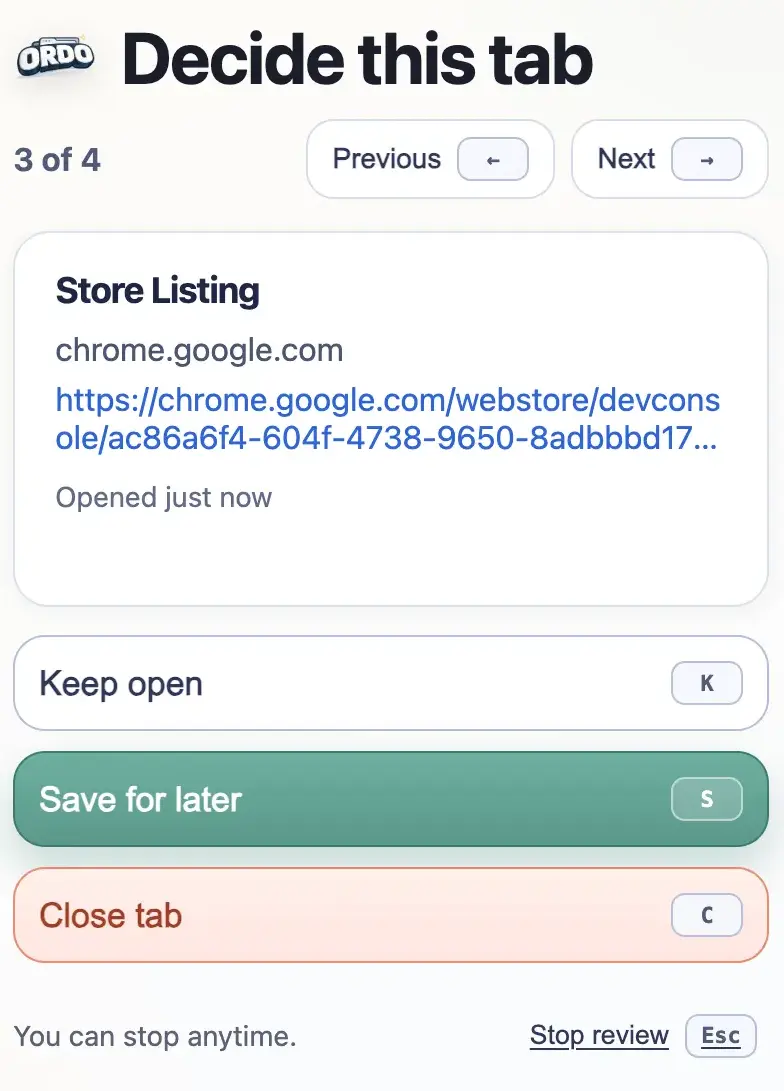
Instant decisions, keyboard-first. ORDO is engineered for speed and flow.

K
Keep Tab
S
Save for later
C
Close Tab
← / →
Navigate
ORDO - extension preview

One-time setup for the full experience

01

Allow Chrome notifications in system settings

Find Google Chrome in your OS notification settings and make sure notifications are allowed and set to persistent alerts.

02

Set your tab limit

Open Ordo (Ctrl/⌘+Shift+Y) and drag the slider to your comfortable limit. 7–10 is a good start.

03

Choose your nudge style

Standard alerts you the moment you go over. Quiet just shows a badge. Focused waits for a calm moment.

Ready to clear the clutter?

person_off No account
bolt No setup
lock Runs locally in your browser